Better prompts in Firefox, right where you type them.
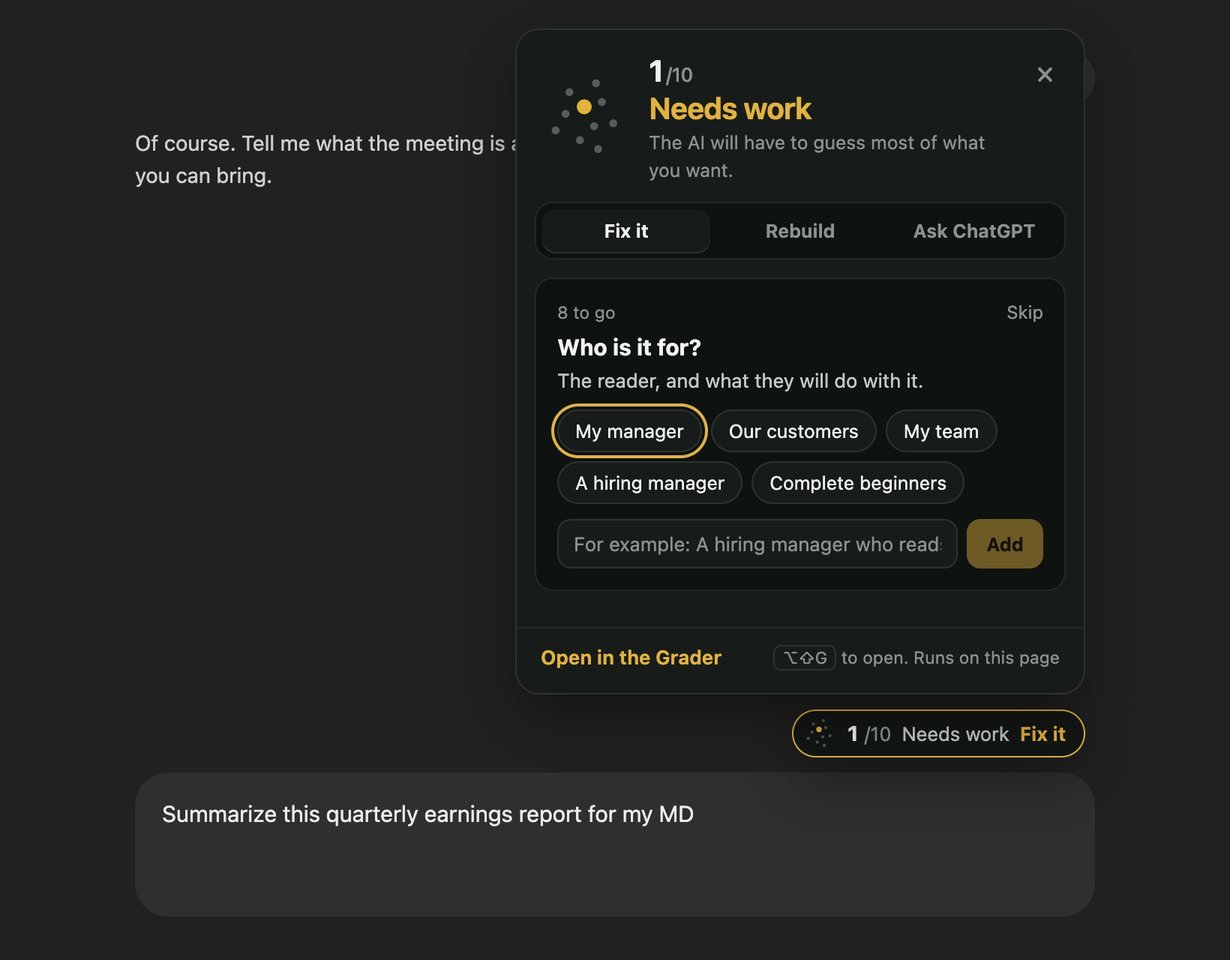
Prompt Score sits beside the message box in ChatGPT, Claude, Gemini and Copilot. It scores your prompt as you type, asks only the questions your kind of request needs, and rebuilds it into a prompt ready to send. The same extension as in Chrome, built for Firefox.
Chrome Web StoreFor Chrome, Edge, Brave and ArcFirefox Add-onsIn review at Mozilla. Coming soon
One step Firefox asks for
Firefox lets you decide which sites an extension may work on. After you add Prompt Score, open ChatGPT, Claude, Gemini or Copilot and:
- Click the extensions button (the puzzle piece) in the toolbar.
- Find Prompt Score and Improver, and allow it on this site. Choose “Always allow” so you are not asked again.
- Reload the page. The score appears beside the message box as you type.
That is the only permission it uses on those sites: to read the message you are typing, inside the page, so it can score it. It sends nothing anywhere.
What it does
- A score as you type. Ten points light up as your prompt meets each of the ten checks, the same ones the Prompt Grader uses.
- Questions that fit what you asked. It reads what kind of request you are making, from understanding a topic to writing an email, a plan or code, and asks only what that kind needs.
- A better prompt in one click. Laid out the way that AI reads best, with sensible defaults it names so you can change them, and Undo.
- The expert prompt for the job. When one of the prompts in the repository fits what you are writing, it links to it.
Everything it does is on the extension page, with screenshots. The privacy page says exactly what it reads and keeps.