Better prompts, right where you type them.
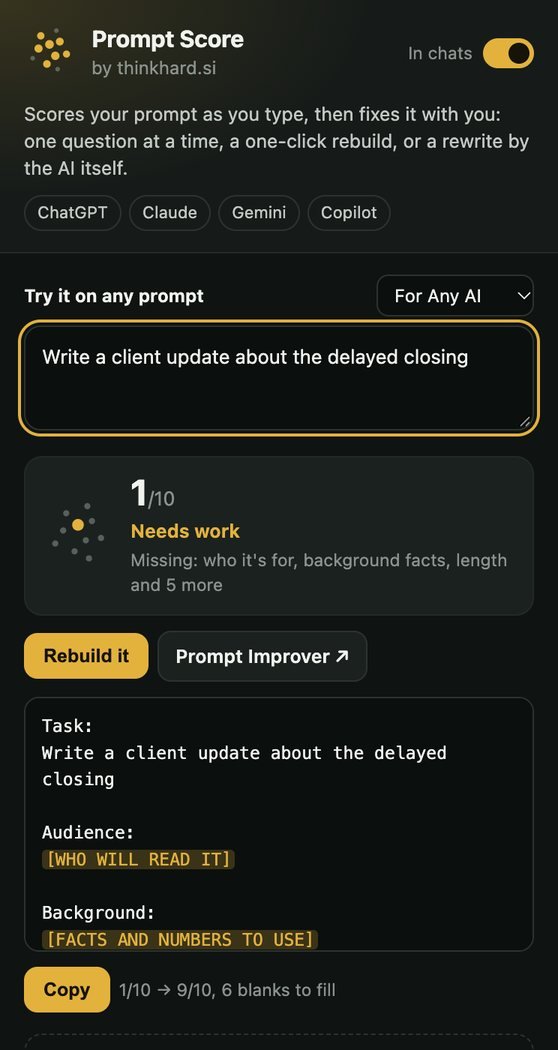
Prompt Score sits beside the message box in ChatGPT, Claude, Gemini and Copilot. It scores your prompt as you type, then helps you fix it: one quick question at a time, a one-click rebuild, or a rewrite by the AI you are already using.
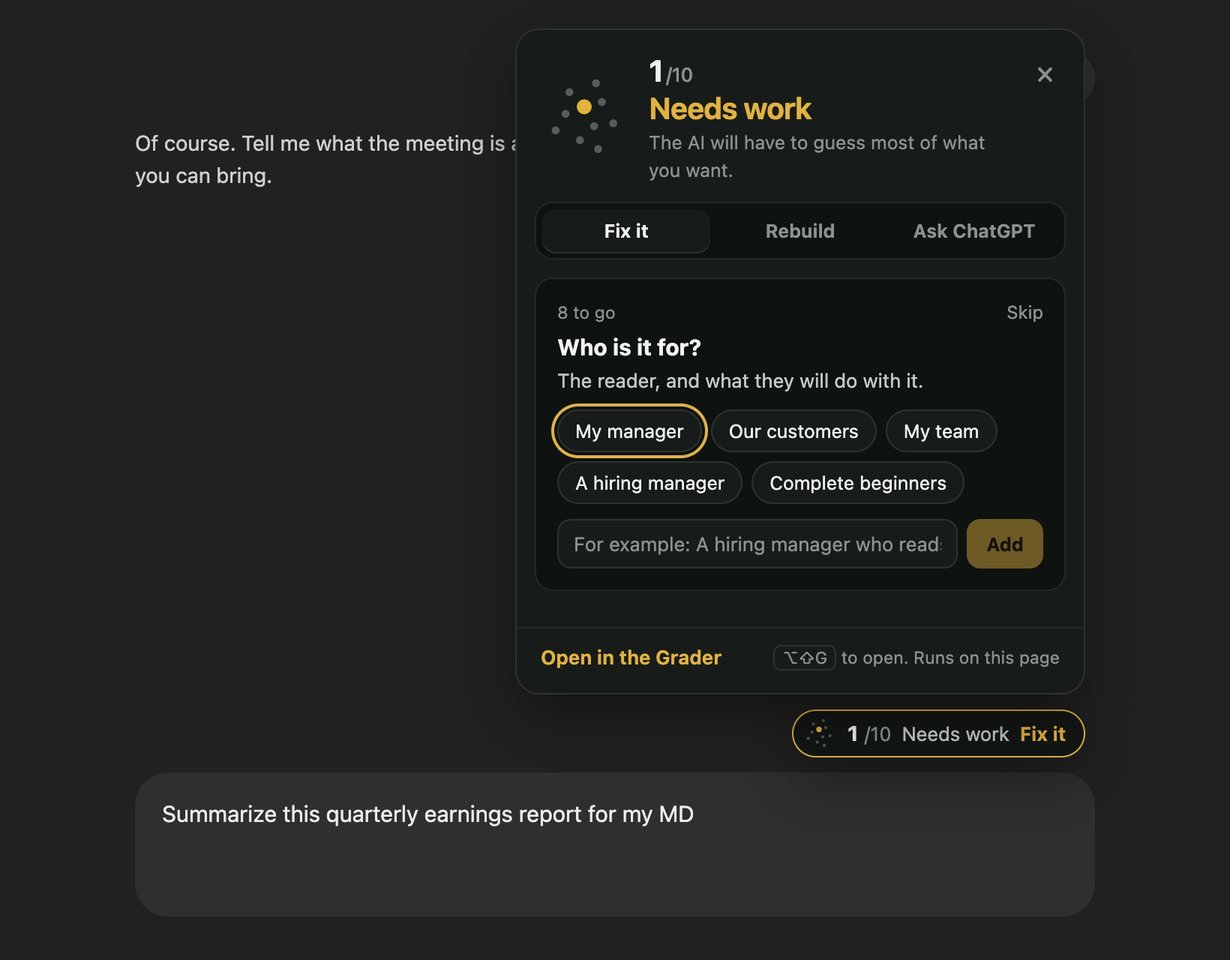
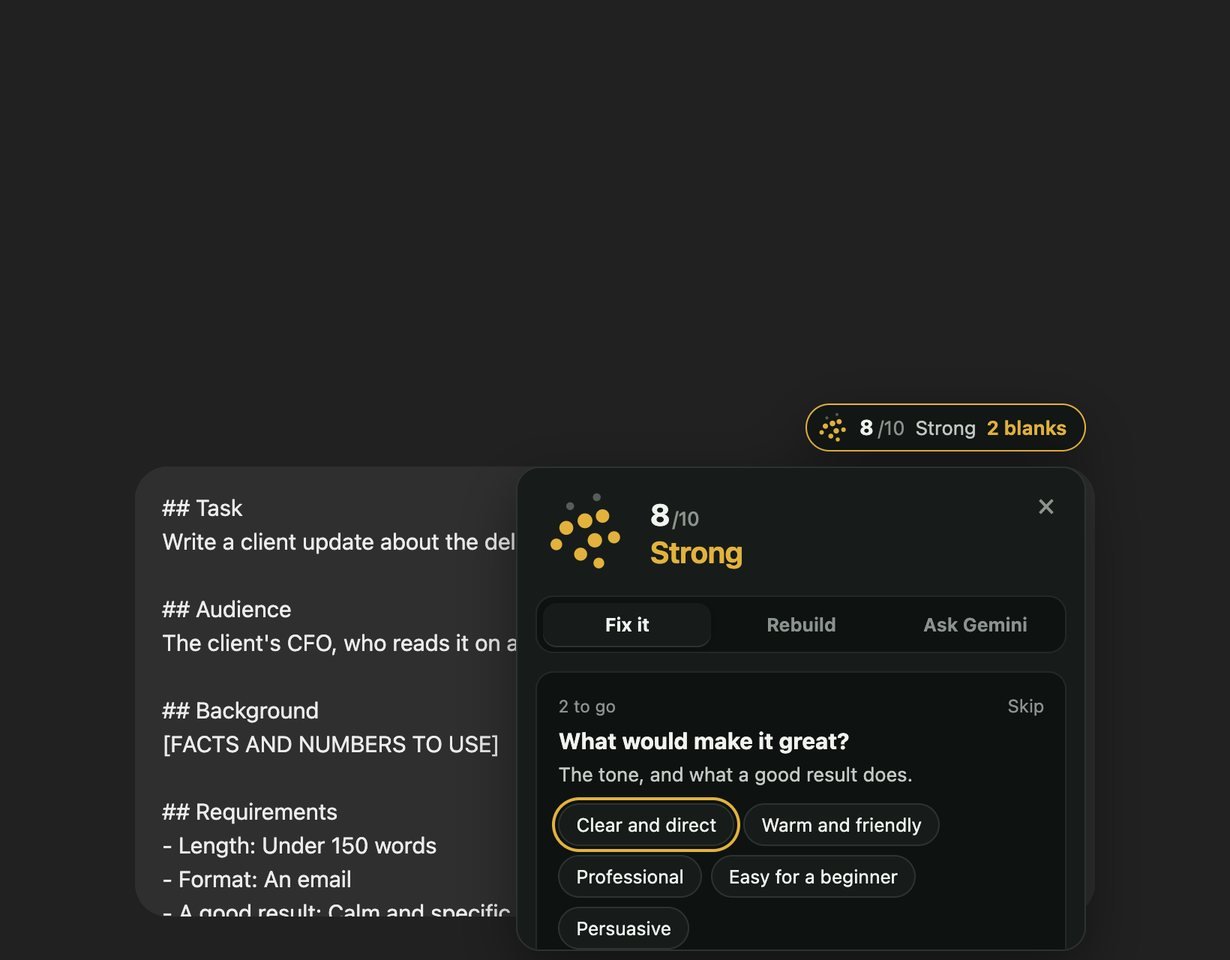
Fix it, one question at a time
Click the score, or press Alt+Shift+G. It asks for the detail that would change the answer most: who it is for, the facts to use, how long, what shape. Tap a ready answer or type your own, and it goes into your message as a labeled line. Ten points light up as your prompt meets each check, the same checks as the Prompt Grader.
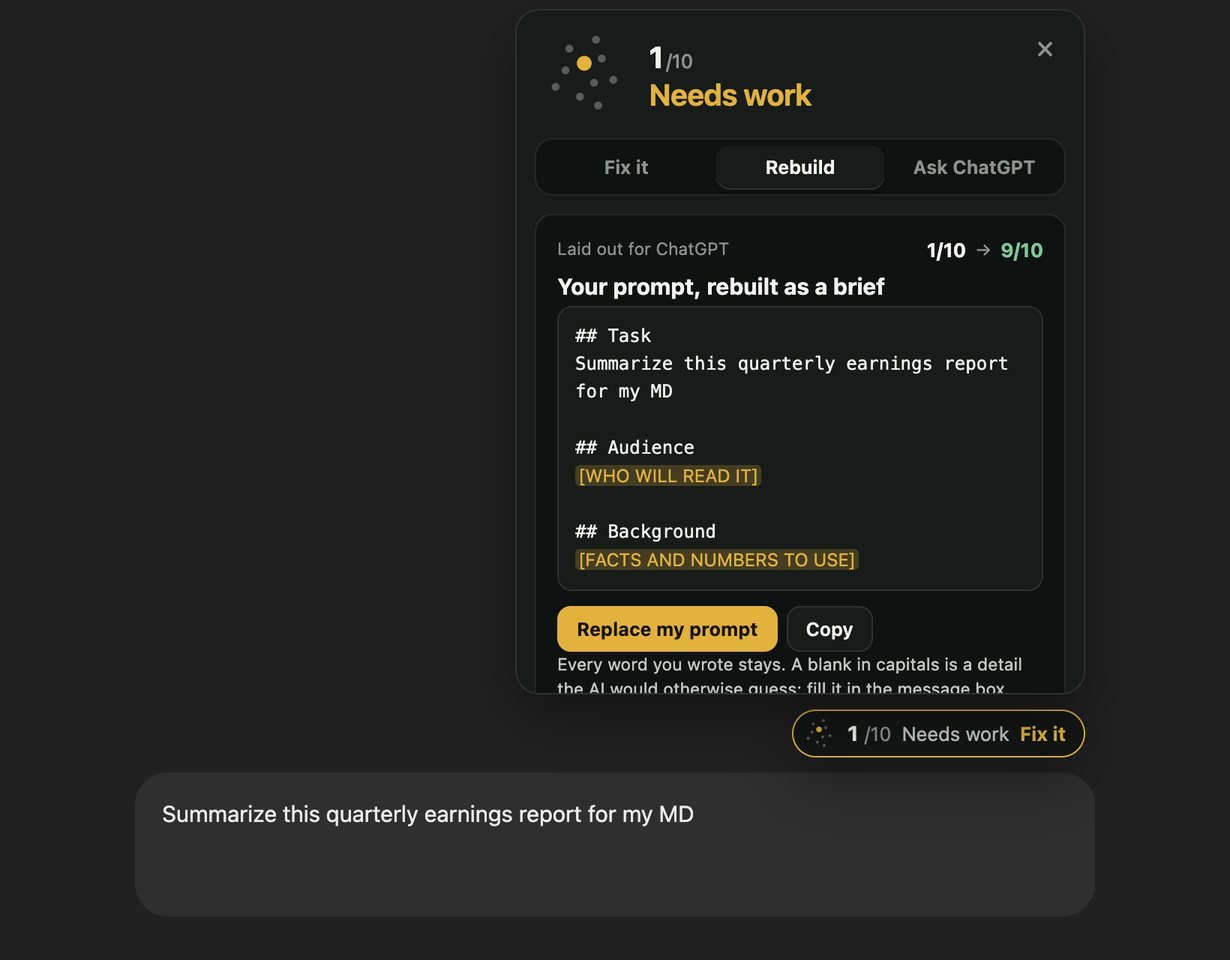
Rebuild it in one click
Rebuild lays your whole prompt out the way that AI reads best: XML tags for Claude, short headed sections for ChatGPT and Gemini. Every word you wrote stays, and each detail the AI would otherwise guess becomes a blank in capitals, such as [WHO WILL READ IT]. Fill the ones you know and send. Changed your mind? Undo puts your message back.
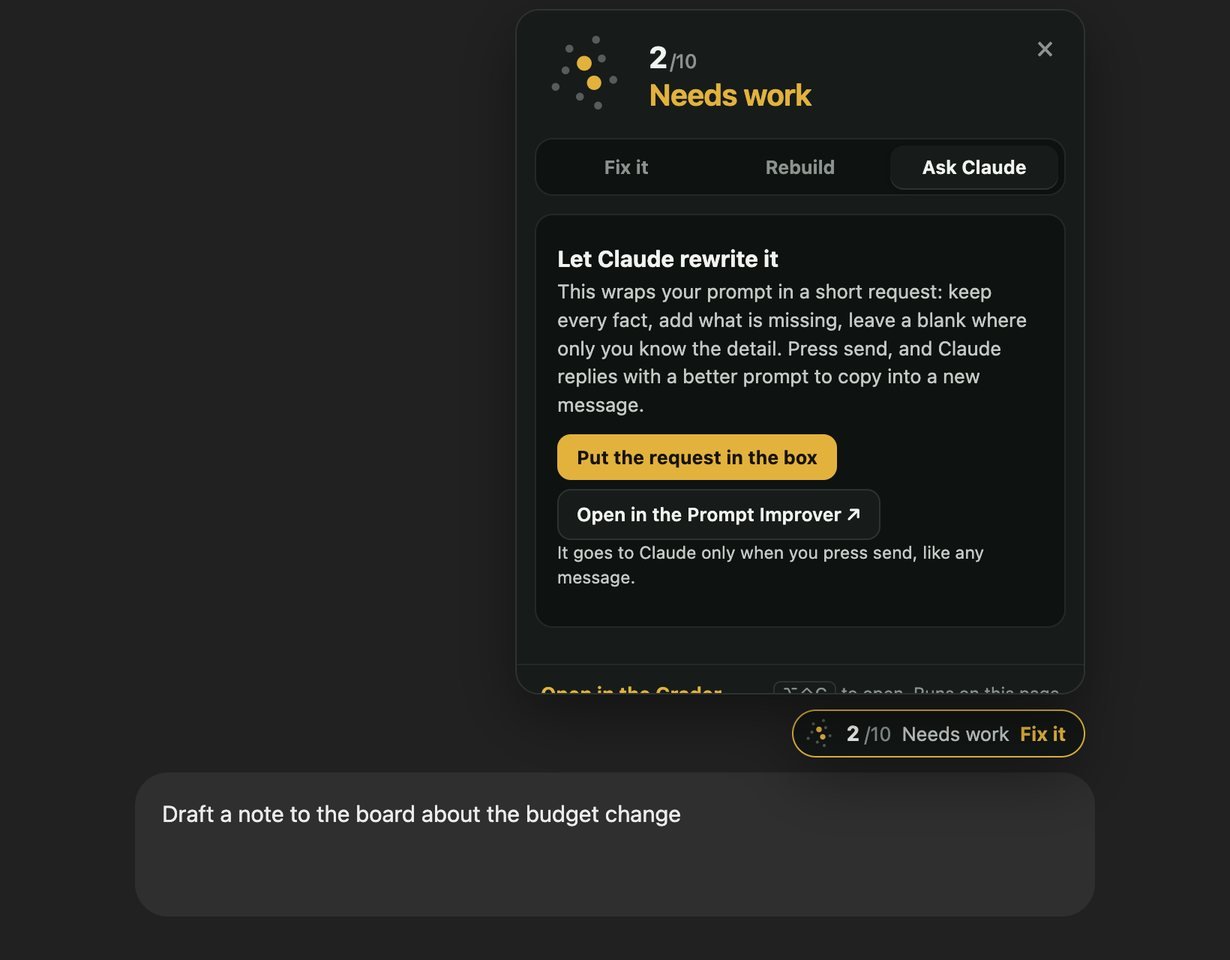
Or let the AI rewrite it
Ask wraps your prompt in a short request for the AI you are already chatting with: keep every fact, add what is missing, leave a blank where only you know the detail. Press send and it replies with a better prompt. No key and nothing to set up, and nothing goes anywhere until you send it yourself.
Private by design
Everything happens in the page you are on. The extension makes no network requests, collects nothing and has no account; the only thing it keeps is its on and off switch. Its permissions are storage, for that switch, and the right-click menu. Select text on any page and right-click to improve it as a prompt, check an AI answer, list what to fact-check, or see what sounds like AI. The privacy page says exactly what it does.
Questions
Which sites does it work on?
ChatGPT, Claude, Gemini and Copilot, in Chrome and other Chromium browsers such as Brave and Arc. In Edge, allow extensions from other stores first. The toolbar button scores a prompt you paste on any page.
Does it read my chats?
It reads only the message you are typing, to score it, inside that page. It never reads the conversation, never stores your prompt and sends nothing to thinkhard.si or anyone else.
Is it free?
Yes, with no account and no limits. It is part of thinkhard.si’s free tools for working with AI.
How is the score worked out?
Your prompt is read against ten checks, such as who it is for, the facts to use, the length and the format. Each check it meets adds a point. The ten checks, explained with examples.
Can I turn it off on a page?
Click the toolbar button and switch off In chats. The score disappears from every chat until you switch it back on.